MONA TÓTH
Hi, I’m Mona, a cardmaker and photographer. I made you something fun that helps your craft photos pop in seconds!
Ever wished you could just...
...tap a button and make your craft photos look amazing?
Now you can!
👇 Turn your dark craft photos into bright, gorgeous shots - in just 2 steps!
Tired of dark, craft photos? These 15 easy-to-use filters will make them bright and scroll-stopping in seconds, right from your phone!
Ever wished you could just tap a button and make your craft photos look amazing? Now you can!
👇 Turn your dark craft photos into bright, gorgeous shots in seconds! 👇
INTRODUCING...

CRAFER'S PHOTO FILTERS
Tired of dark, craft photos? These 15 easy-to-use filters will make them bright and scroll-stopping in seconds, right from your phone!
Do you ever feel like...
📸
…your craft photos just don’t look as good as your actual project?
🤔
…others seem to have perfect photos, and you’re wondering what you’re doing wrong?
⏰
…you don’t have the time or energy to figure out all the editing stuff?
It’s because you care deeply about how your handmade creations are seen, and you want others to see them as beautifully as you do.
That’s why I created Crafter’s Photo Filters - to take your photos from "eh" to "WOW!" in seconds.
Keep reading, and let me tell you how.
Level up your photos and get gorgeous results in just seconds with Crafter’s Photo Filters!
When your photos steal the sparkle from your creations
It’s so frustrating when your beautiful card looks dull and lifeless in a photo.
You wonder if anyone will notice the hours you spent, or if your photo will just be scrolled past without a second glance.
You just want to proudly share your creations and have people fall in love with them the way you have.
I totally get it. That feeling when you’re so proud of what you made, but no matter how many pics you take, it never looks quite right.
But it doesn’t have to be this way! With the right tools, you can make every photo as beautiful as your handmade creations.
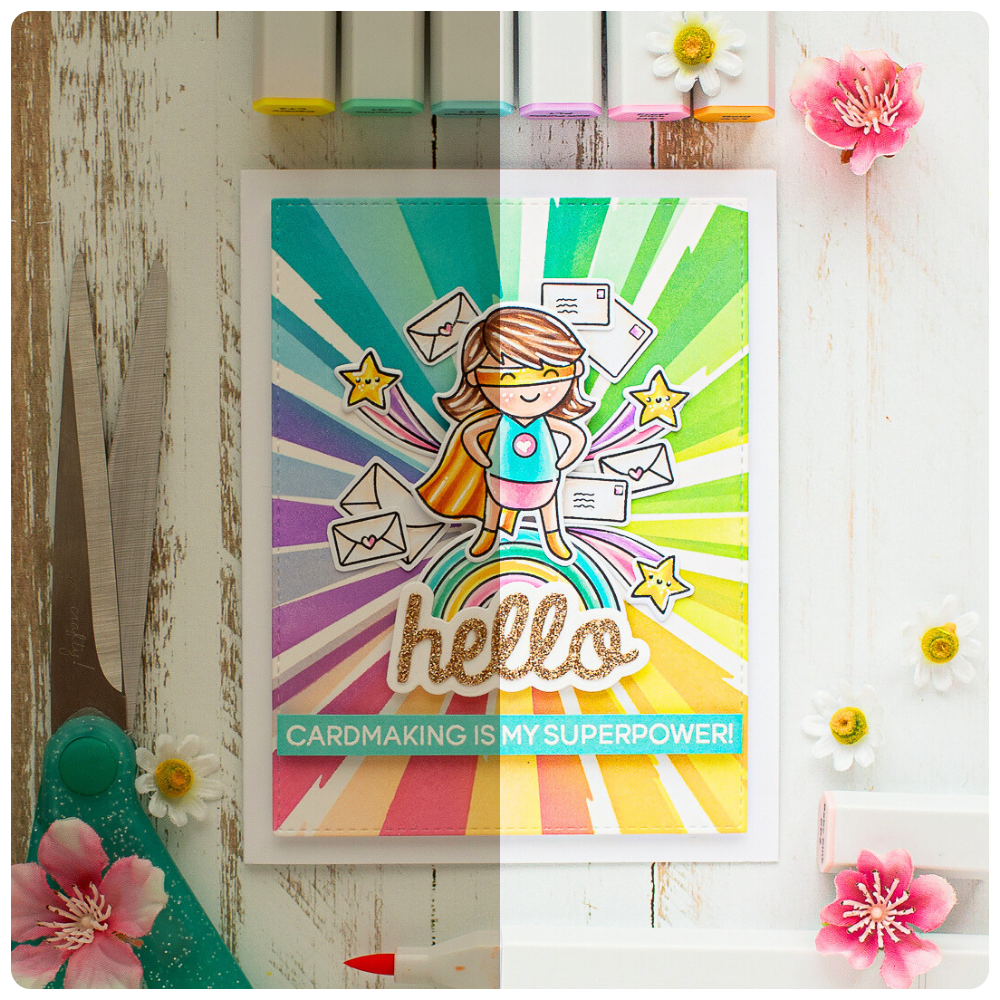

Meet the 2-step fix that makes your craft photos pop - every time!
If we haven’t met yet, I’m Mona Tóth, a professional photographer turned passionate cardmaker since 2017.
Over the years, I’ve helped hundreds of crafters go from hiding their photos to proudly posting them, and loving the reactions they get.
I’ve seen so many crafters give up on a photo just because it looks darker. They think it’s ruined. But that’s not true!
After years of experimenting, I created a 2-step editing shortcut to help crafters brighten up their photos in seconds. It makes it nearly impossible to share a photo where your beautiful card looks dull and goes unnoticed.
This is what every day will look like with Crafter’s Photo Filters
Imagine sharing your creations online with pure joy, every single time.
Instead of ending up frustrated with your dark photos, you’re fixing them in seconds like a pro.
Your crafty friends, followers, and customers will notice, and they’ll tell you how gorgeous your photos look.
You’ll breathe a happy sigh of relief, maybe even do a little happy dance, because finishing your photos finally feels effortless.
You can start this transformation today - with Crafter’s Photo Filters.
If you’re ready to make this change…
... Crafter’s Photo Filters are the secret tool your crafty routine’s been missing!
With these filters, you will turn your dark photos into bright, eye-catching shots in just a few clicks!
READY TO LEVEL UP YOUR PHOTOS?
What makes Crafter’s Photo Filters a game-changer?
🏷️
Costs less than
a large stamp
And you’ll use it over and over for every crafty project you post.
📱
Edit your photos
right from your phone
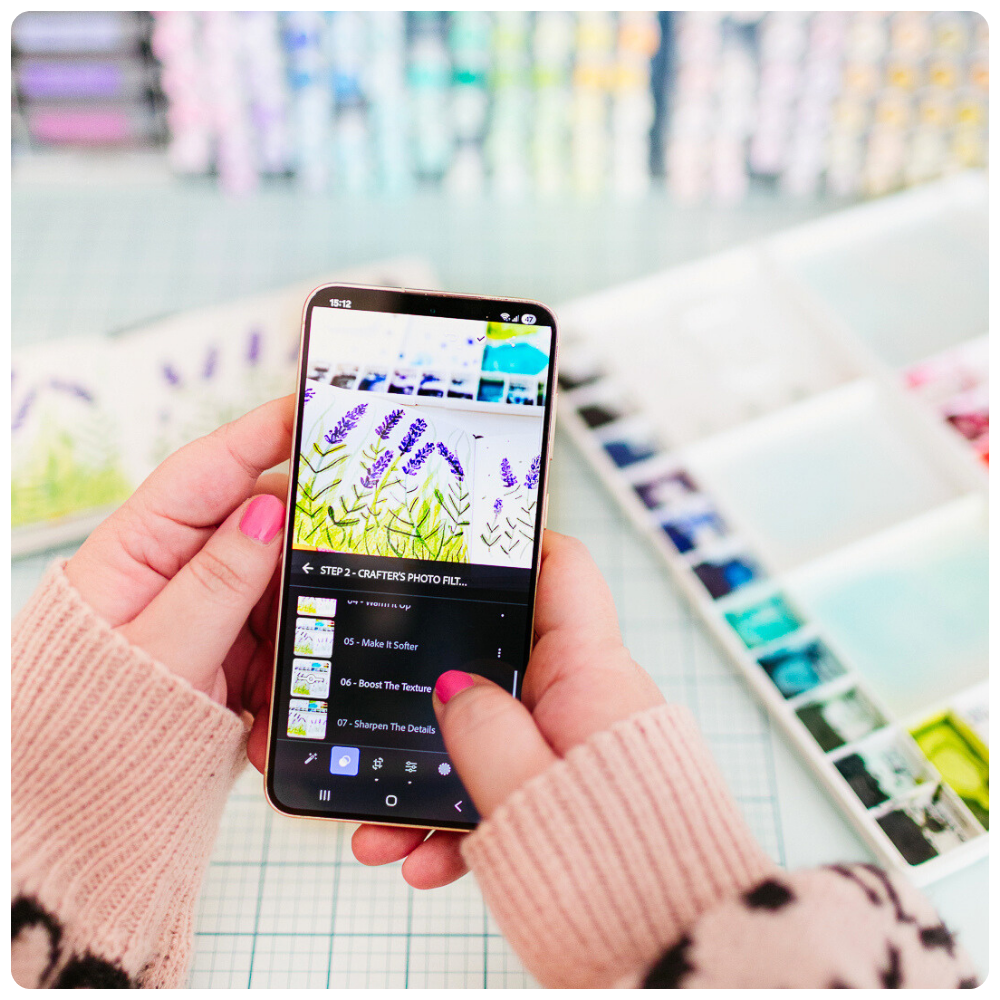
Just snap your photo with your phone, then use the filters in the free version of the Lightroom app.
🙌
No editing skills?
No problem!
Install the filters (we show you how!) and start using them in a few clicks.
🌈
Made for craft photos
They lift the shadows, boost the texture, and make your craft photos brighter, even if your lighting wasn’t perfect.
✨
Pro look in 2 steps
Pick one base, one or more boost filters, and your photo is ready! You’ll get 15 crafty filters that work together like a dream.
📖
Easy-to-follow guide
The PDF guide full of screenshots gets you comfy fast, so you can make your photos pop in seconds!
What you’ll get inside...
📸 15 photo filters
You’ll get 6 base + 9 boost filters to mix and match your perfect look.
🧾 Step-by-step guide
No guessing, no overwhelm. You’ll know exactly what to do, even if you’ve never edited before.
🎬 Video tutorial
You will start with a short video tutorial, where I show you how to use your filters, and some extra tips.
📱 Works with the free Lightroom app
No extra costs, just your phone and a few taps.
📩 Instant access
You’ll get everything by email right after checkout, and it's yours forever.
See what fellow crafters are saying


Just two simple steps that took under one minute and my photos went from “alright” to “incredible” and instagram-worthy. Mona has created incredible filters that make it easy to enhance the beauty of your creations.

I feel this is a wonderful tool for crafters! Monas explanations were very clear and the filters are so amazing, I'm sure this is going to be a hit! It makes editing just an easy task!

I really love how easy to use the variety of filters Mona has made available, and how professional the results turn out. As a papercrafter/cardmaker it is so important to me that I have bright clear photos to share. But I’m not a photographer, and need to easily be able to handle everything with my phone. I followed the simple tutorial on how to download the collection of the filters, and loved how organized and easy to find they were imported to the free Lightroom App. I also appreciate that it is not an overwhelming amount of options, and easy to make simple adjustments to the setting you choose. So far, I feel as though the Step 1 Crafty Delight filter is exactly what I want, with just a touch of Brighten It Up in step 2. It’s also nice to be able to boost the colors in the Color Boost Add-On, and I love comparing the different options. I am able to achieve the exact results I am looking for with just a few simple steps and very quickly. I would definitely recommend these photo filters to anyone regardless of their experience. For regular photos as well as crafty projects that we plan on sharing.

We crafters put a lot of effort in our cards. We take hours designing and creating and we just simply want to get that 1 photo shot in the end. We don't want to put any creativity or effort in it, we just want to get it done quickly. We make a really bad picture with all the lights gone already. And then, what do we do? We just want to toss it in the trash but no, we don't. Because these filters from Mona will save us. We save all those hours of work. And with just 2 or 3 clicks it's all done. This is amazing!

This isn’t just a set of filters!
It’s your crafty sidekick that makes your craft photos pop, effortlessly! Ever wished you could just tap a button and make your craft photos look amazing? Now you can!
💫 Grab it now and make your photos pop out!💫

COMPLETE YOUR ORDER HERE 👇
CRAFTER'S PHOTO FILTERS: Yours for just 15€
Instant access • Yours forever
FAQ
✨ How do I get the filters?
Right after you check out, you’ll get an email with everything you need to start creating gorgeous photos in minutes.
📱 Does it work with Android and iPhone?
Yep! It works on both. You’ll just need the free Lightroom app, that’s where the presets do their magic. I’ll show you exactly how to set it up in the step-by-step PDF guide.
💡 Do I need the paid Lightroom app?
Nope! You just need the free mobile version of Lightroom. No extra costs, just your phone and a few taps.
🖥️ Can I use the filters on my PC too?
Yes, you can! Just a heads-up: there’s no free version of Lightroom for desktop. But you can also add them to your desktop Lightroom if you prefer editing on your computer, or you already have an active Lightroom subscription, it just takes a few extra steps. I’ve included a quick setup guide for that too.
📸 I’ve never edited a photo. Will this work for me?
Oh so yes! That’s the whole point of Crafter’s Photo Filters! Gorgeous photo finish without needing editing skills. Just pick the filter you like, and adjust the intensity with one swipe. The step-by-step guide walks you through everything, from installing Lightroom to editing your first craft photo.
🌤️ Will it work with natural light?
Absolutely! These filters are made to work beautifully with natural light. They work under indoor natural light or artificial light, so you’ll get lovely results wherever you use. You can also adjust each filter’s intensity with just one swipe (I’ll show you how in the guide).
⏱️ How much time does it take to edit?
Just a few clicks! It can take as little as 10–30 seconds. I’ll walk you through it in a 10 minute video tutorial, and there’s also a step-by-step PDF guide full of screenshots so you always know what to do.
👩🎨 Does it work on portraits too?
These filters are designed mainly for crafty projects, but you can absolutely play around with them on portraits too. In the second step, you can pull back the colors to avoid over-edited looks. Some filters look surprisingly lovely on non-crafty photos too!
🎞️ Is it a filter or a preset?
We say “filters” because it just sounds easier and a little cuter! But these are actually professional Lightroom presets designed for crafters, made to work with the free mobile app. They act like filters, just smarter and stronger!
🙋♀️ What if I get stuck?
No worries, I’ve got you! There’s a step-by-step PDF guide with full of screenshots, and a short video tutorial, showing exactly how I use the filters. It’s like having me right beside you.
🔑 How long do I have access?
Forever! Once you have them, they’re yours to keep and use anytime.
💳 Can I pay with PayPal?
At the moment we accept card payments only. You can use any debit or credit card, including Revolut, Google Pay, or Apple Pay. Everything runs through Stripe, which is secure and smooth, and you’ll receive your files automatically right after your purchase.
💰 Can I get a refund?
Because this is a digital product, once you’ve bought the filters, I can’t offer refunds. But if something isn’t working or you need help, just reach out and I’ll make sure you’re taken care of.
💌 How can I contact you if I need help?
If you need support, just email me at [email protected]. I will respond to emails within a reasonable time frame on business days.
One quick question before you go…
Sure, you can keep posting dark photos that don’t show the true beauty of your work, and risk your amazing creations being scrolled past without a second look.
Or you can fix your photos in seconds and proudly share bright, eye-catching shots that get noticed and loved.
If you’re ready for your photos to finally match the beauty of your crafts, tap below and let’s make it happen!
Mona Tóth
Make your craft photos shine
Take lovely photos of your handmade creations that feel amazing to share online.
Quick Links
Maker’s Favorites
Copyright © 2026 Mona Tóth
